Bauer 65
Details
 |  |  |  |
Sales
- format: unlimited gb
- period: Apr 1, 2026 - Apr 29, 2026
- ETA: Q4 2026
Vendors
- US - Omnitype
- CA - Desk Hero
- UK - Prototypist
- EU - Oblotzky
- AU - Keebzncables
- KR - Geon
Pricing
Needed:
- MX build: bauer 65 + hybrid pcb
- DynaCap build: bauer 65 + hybrid pcb + dynacap
- HE build: bauer 65 + he pcb
| kit | gb (USD) | |
|---|---|---|
| bauer 65 - pc top / mx plate | 395 | |
| bauer 65 - alu top / mx plate | 385 | |
| bauer 65 - pc top / DynaCap plate | 410 | |
| bauer 65 - alu top / DynaCap plate | 400 | |
| pcb - solder | 45 | |
| pcb - hybrid hotswap (MX + EC support) | 50 | |
| pcb - he / VENOM65HE | 60 | |
| dynapak | 133.50 | |
| plate - mx / alu | 25 | |
| plate - mx / carbon fiber | 30 | |
| plate - mx / brass | 45 | |
| plate - mx / pc ghost | 25 | |
| plate - dynacap / wk, wkl | 30 | |
| plate - he | 27 |
Options
Colors
- Classic teal - pc top / alu bottom
- Dune - alu top / alu bottom
- Vector - alu top / alu bottom
- Raw - alu top / alu bottom
Layout
- WKL
- WK
Plate
- MX
- DynaCap (split backspace)
- DynaCap (full backspace)
- HE
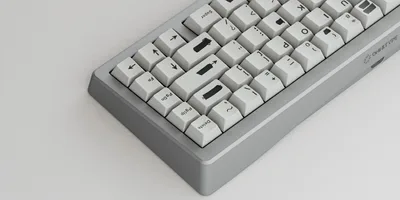
The Bauer 65 marks a new chapter for the lineup: introducing a WK layout and Hall Effect support for the first time, alongside the EC DynaCap and MX options the community already knows. Built around a CNC aluminum case with gasket mount for improved acoustics and sound isolation, the Bauer 65 is available in both WK and WKL configurations, giving more builders a seat at the table. Whether you're running MX, DynaCap EC, or HE switches, there's a version of this board built for how you type.
But that's not all! All Bauer 65 and Bauer Lite parts are 100% compatible with each other. So you can mix and match parts in any combination you want between machined and injection molded! So if you already have a Bauer Lite, with one Bauer 65, you could make two "half-machined" Bauers for the price of one!
Specs
- 65% layout
- 5° typing angle
- WKL features symmetrical 0.75u blockers
- MX and DynaCap plate bottom rows use a 7u spacebar
- MX plates support full/split backspace and standard/stepped caps lock
- DynaCap plates are locked to standard caps and the backspace chosen.
- HE is standard caps lock only and 6.25u bottom row
- Made in China
- Design by G Bur
Components & Materials
- Top Housing: Aluminum or Polycarbonate
- Plate: Aluminum (MX/HE) or Stainless Steel (DynaCap)
- Bottom Housing: Aluminum
- PCB: Hybrid hot-swap (MX + EC support) or VENOM65HE from Geon
- USB Daughterboard
Disclaimer
Raw aluminum is left completely uncoated and unanodized. While every unit is inspected before shipment, the nature of the finish means minor blemishes may occasionally be present out of the box. With regular handling, the surface will develop a natural patina over time. This is intentional, and part of what makes raw aluminum a living finish. Note that aluminum patinas at a much slower rate than brass or copper that some enthusiasts may be familiar with.
Does not include keycaps, stabilizers, or switches/DynaPak. The images shown are used for illustrative purposes only. While we aim to accurately estimate and reproduce colors, there may be minor variations in the color of the actual product because of differences in display output due to lighting and digital photography and color settings and capabilities of monitors.
PCB
- 1.6mm Thick
- Includes USB-C breakout board and JST Connector Cable
- Support PCB mount stabilizers
Specs
- HYBRID DYNA65-BAUER
- Type: MX/EC
- VIA Compatible
- QMK Compatible
- HE VENOM65HE
- Type: Hall Effect
- RISC-V32 Architecture
- Supports 8KHz polling rate / 14KHz per-key scan rate
- 0.16ms Latency
- Geon Firmware
- Compatible Switches: Geon Raptor HE, RAW HE, Lucifer HE, Gateron KS-20 / KS-20T, etc., N-pole switch, 1600gs or less at bottom magnetic force
LAYOUTS
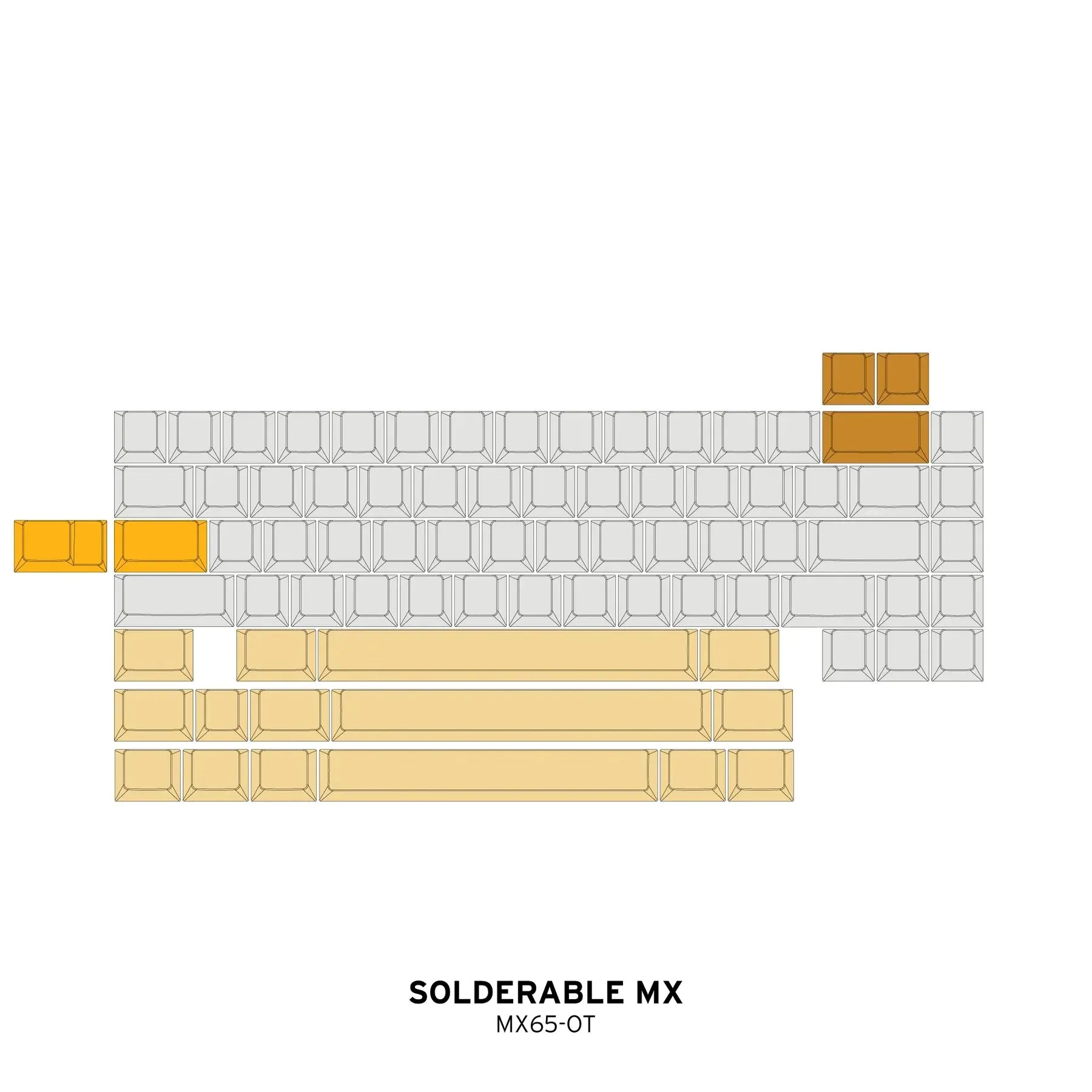
| Hybrid MX/EC | HE | Solder MX |
|---|---|---|
 |  |  |
-
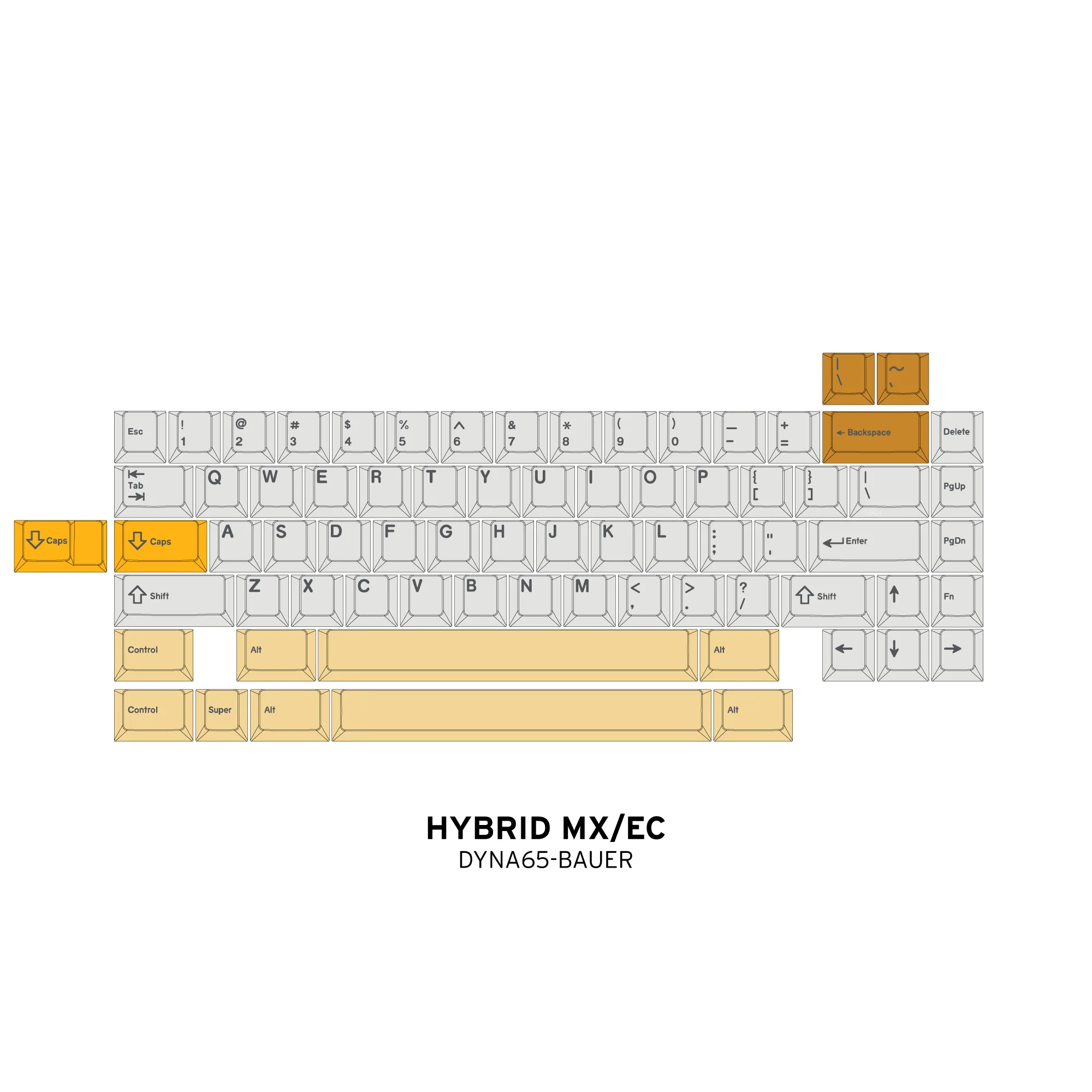
Hybrid MX/EC (DYNA65)
- Supports both full and split backspace
- Supports regular and stepped caps lock
- Supports Bauer Blocker WKL 7u bottom row
- Support "Normie" 65% WK 6u bottom row
-
HE (Geon Works VENOM65HE)
- Supports only standard 6.25u 65% bottom row
- Supports only full backspace
- Support only standard caps lock
Disclaimer
Color of PCB may not match the renders. Final color will be Omnitype Bone.
Some PCBs may arrive with a slight warp from manufacturing, but this will straighten itself out once the entire board is built. This is not considered a defect.
Do not install switches in the hot-swap PCB when inside your keyboard. This risks popping off a hot-swap socket. It is best practice to install your switches on a deskpad or other soft surface to support to socket as you push the switch in.
Plate
The Bauer 65 Plate is engineered for versatility and durability. Use additional plates to build multiple keyboard configurations, experiment with different switch types, and swap color combinations without purchasing a full new board. Each plate is precision-manufactured to exacting tolerances and maintains full compatibility across all Bauer generations, making it the ideal choice for enthusiasts who demand flexibility and performance.
Detail
- Taco Bumpers not included
- Made in China
- Fits Bauer Lite, Bauer 1, Bauer 2, and Bauer 65
| MX | HE | DynaCap |
|---|---|---|
 | 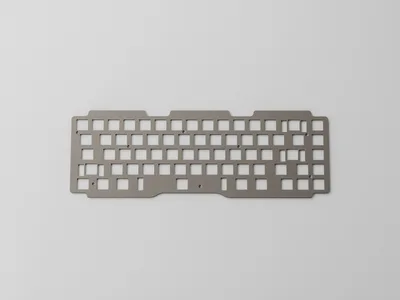 |  |
MX LAYOUT
- Supports both full and split backspace
- Supports regular and stepped caps lock
- Supports Bauer Blocker WKL 7u bottom row
- Support "Normie" 65% WK 6u bottom row
HE LAYOUT
- Supports only standard 6.25u 65% bottom row
- Supports only full backspace
- Support only standard caps lock
DYNACAP LAYOUTS
- Each plate supports either WKL or WK bottom row
- Each plate supports with full or split backspace
- All plate support only standard caps lock
Spec
- 1.5mm thick
- MX and HE plates support only PCB mount stabilizers
- DynaCap plates support DynaCap stabilizers
Disclaimer
Raw aluminum is left completely uncoated and unanodized. While every unit is inspected before shipment, the nature of the finish means minor blemishes may occasionally be present out of the box. With regular handling, the surface will develop a natural patina over time. This is intentional, and part of what makes raw aluminum a living finish. Note that aluminum patinas at a much slower rate than brass or copper that some enthusiasts may be familiar with.
DynaPak
Everything you need to cover a 60% or 65% with split or full backspace with DynaCap switches.
- 1u and 2u housings will be dry-lubed
- Does not include a plate or PCB.
See our FAQs for more information.
Includes:
- 72 1u sliders
- 72 1u housings
- 4 2u housings
- 4 2u sliders & wires
- 2 stab housings & sliders
- 1 7u spacebar wire
- 12 dome strips (6 domes per strip)
- Silencing rings
- Gold springs
- Hardware Kit
Iconic Bauer arch
The Bauer design language has always been centered around the famous arch. We didn't dare mess with perfection.
0.75u "Bauer blockers"
The Bauer was the first to introduce symmetrical WKL blockers on a 65% keyboard back in 2018.
Winkey layout available
After years of requests to offer a winkey layout, we have caved. You no longer have to use WKL to join the Bauer family!
Hall-effect (HE) Support
We have inserted the Venom HE PCB line by Geon Works into the Bauer ecosystem! Gamers are rejoicing everywhere!
Reverse-compatible with Bauer Lite
Every part of the Bauer 65 and the Bauer Lite are swappable and compatible with each other! Further expanding the Bauer ecosystem into more materials.
Redesigned from scratch
We redesigned the Bauer from the ground up to make it completely compatible with the Bauer Lite. We also made the internals more modern and borrowed from the Bauer Lite for better sound, feel, and aesthetics.
New Plate Design
We made some improvements to the plate design by moving the compression points away from the spacebar switch to remove the "stiffness" of the spacebar. And all Bauer plates going back to Bauer 2 are still compatible with each other!
DynaCap (EC) Support
Electrocapacitive has been on the rise because of DynaCap. It has been a huge hit with the Bauer Lite and it was only natural that we made it available to its machined counterpart, the Bauer 65.